Configuration
Create Server
To connect you guild to you gmod server, you will need to create a new server for your guild by clicking the Create Server of the server list page.
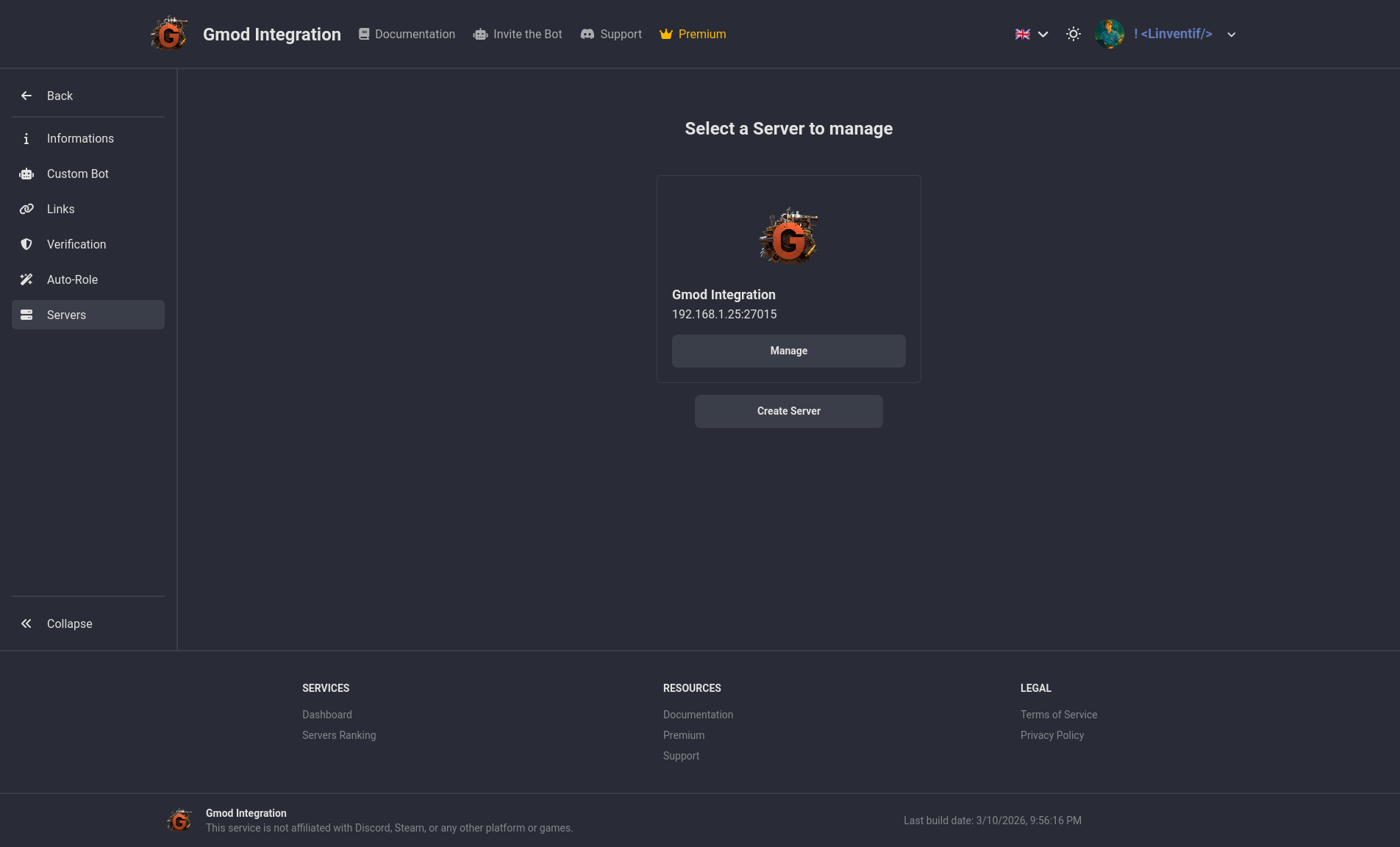
Get Server Token & ID
On the same page now click on server you just created, you will see the Information page with the server token and id, you will to click on the Click to Show button to show the token & id.
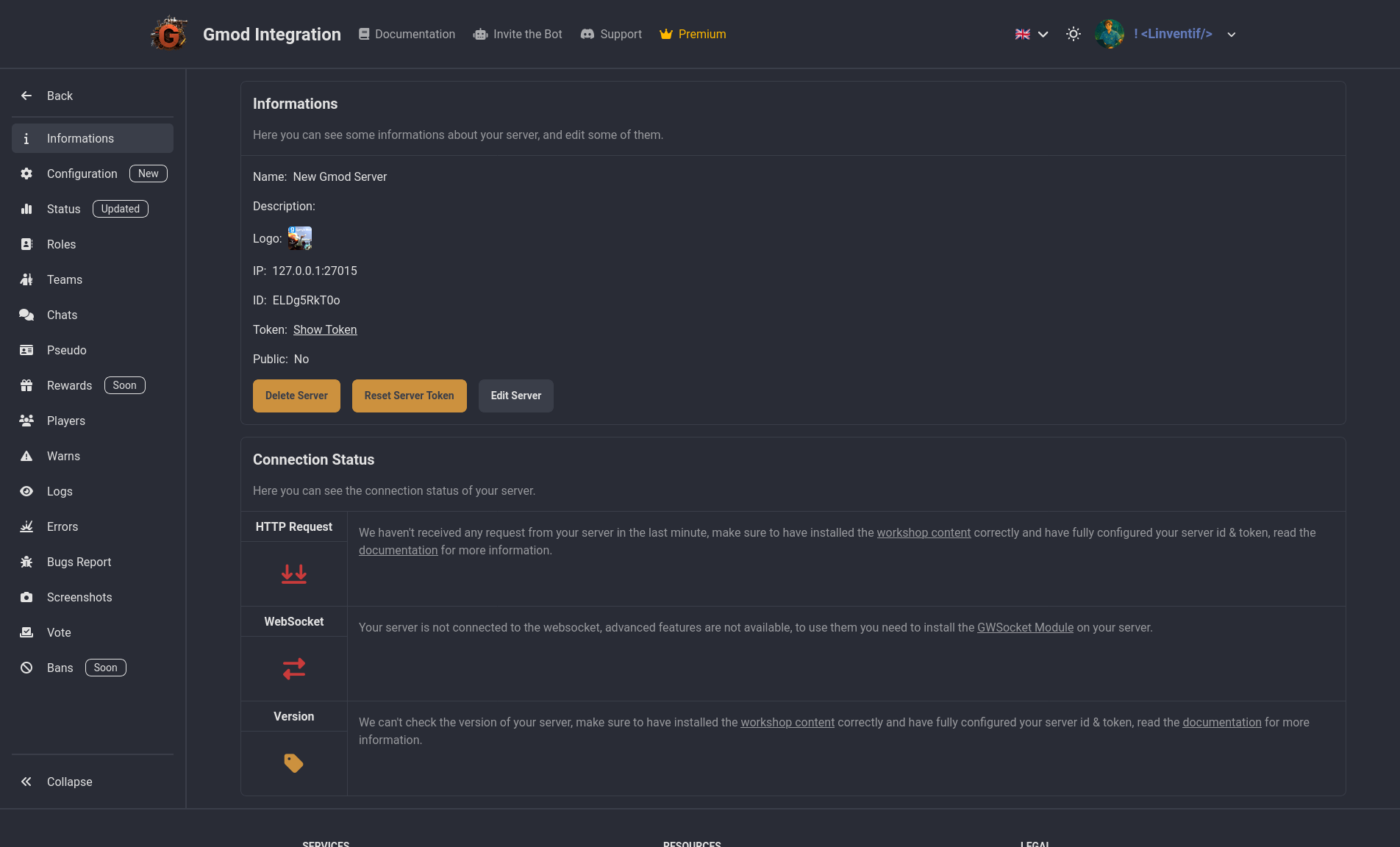
Add Server Token & ID
Go into the server console and run the following commands to add your server token & id:
gmod-integration config set id YOUR_SERVER_ID
gmod-integration config set token YOUR_SERVER_TOKEN
Your server will now attempt to connect to Gmod Integration and if everything is correct you should see a success message with your server name and id in the console.
Example:
gmod-integration config set id lZWbHrHJk3
 | 14:12:51 | Gmod Integration | Setting Saved
gmod-integration config set token JbKuA0goRKQO6cYg
 | 14:13:03 | Gmod Integration | Setting Saved
 | 14:13:04 | Gmod Integration | Congratulations your server is now connected to Gmod Integration
 | 14:13:04 | Gmod Integration | Server Name: New Gmod Server
 | 14:13:04 | Gmod Integration | Server ID: lZWbHrHJk3
Manually Try Config
If you want to manually try to connect your server to Gmod Integration, you can run the following command in the server console:
gmod-integration config try
 | 14:13:04 | Gmod Integration | Congratulations your server is now connected to Gmod Integration
 | 14:13:04 | Gmod Integration | Server Name: New Gmod Server
 | 14:13:04 | Gmod Integration | Server ID: lZWbHrHJk3